

Reports cover production only, by decision, a test run in the last week of the month cannot change the numbers you send.
Stop assembling the report.
The monthly deliverable is usually an evening of screenshots pasted into a deck that is out of date by the time it sends. It does not have to be a document you build, it can be a snapshot you take, from a dashboard your client has been reading all month anyway.
The month, in four moments, not one long evening.
They already have it
Your client reads the branded subdomain whenever they want. The report stops being the only time they hear from you.
You save a snapshot
The dashboard as it stands, with its date range and metrics frozen under a name.
You export the PDF
From a per-agent template carrying the same branding as the subdomain.
It says something
The tickets they raised are closed, and the numbers move, so the report reads as work done, not activity logged.
Chart flags decide which of the eleven a client sees; field flags hide personal data. Both are per agent.
The report is better when it is not the only window.
Run the dashboard at your client’s own subdomain, with your app name, separate light and dark logos and a brand colour the chart palette adapts to. They can look whenever they like. The month-end document then confirms something they already have a feel for, instead of being the first news they get in four weeks.
- Analyticscharts you left on
- Chat historyfields you allow
- Feedbacknever hideable
- Saved reportstheirs to export
- Ticketsboard and threads
A Viewer never reaches Settings, Migrate or Usage, so handing over the address is not handing over the account. And if a card or chart simply does not apply to this client’s agent, drop it from the layout entirely rather than leaving it to read as a permanently empty panel, see analytics.
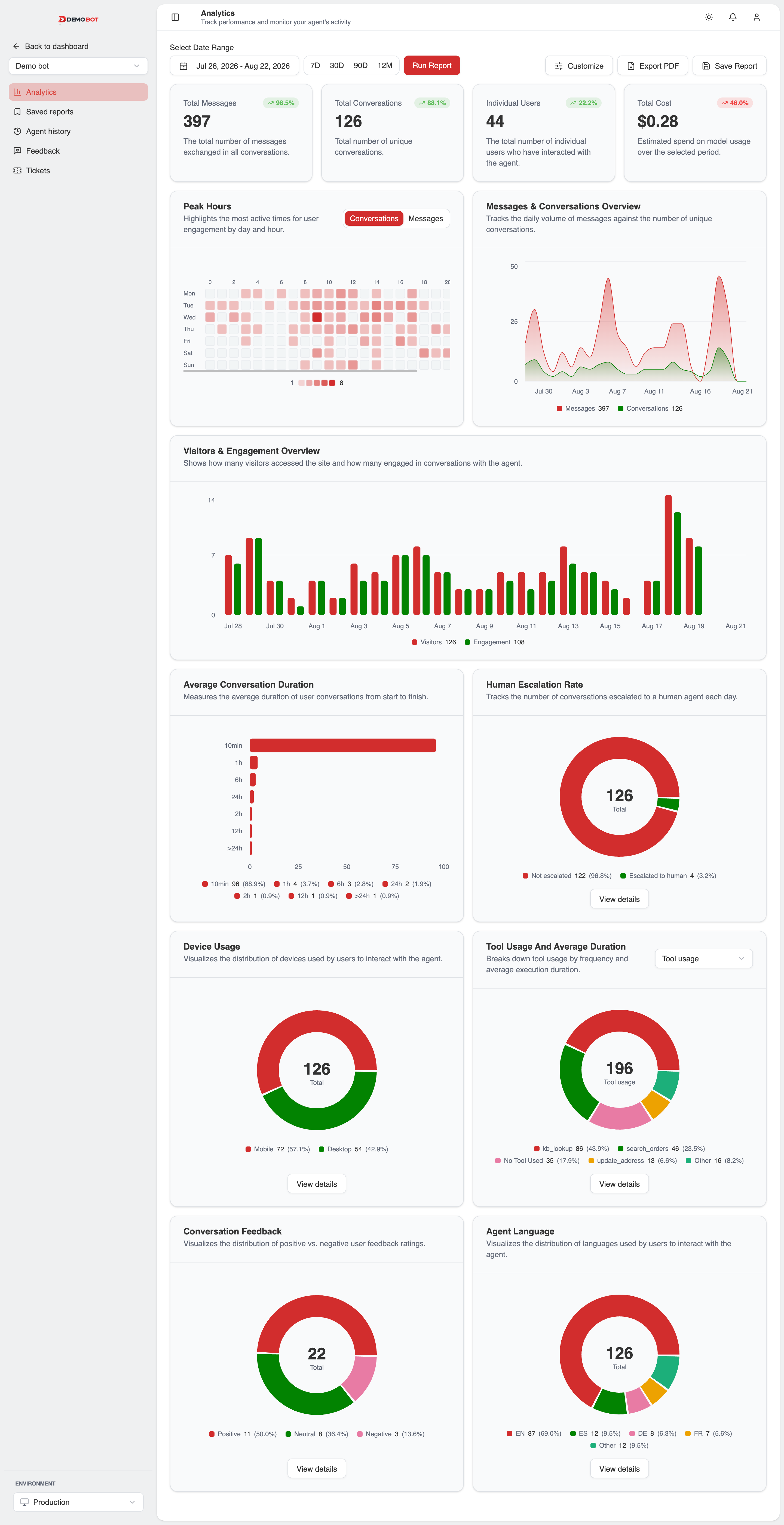
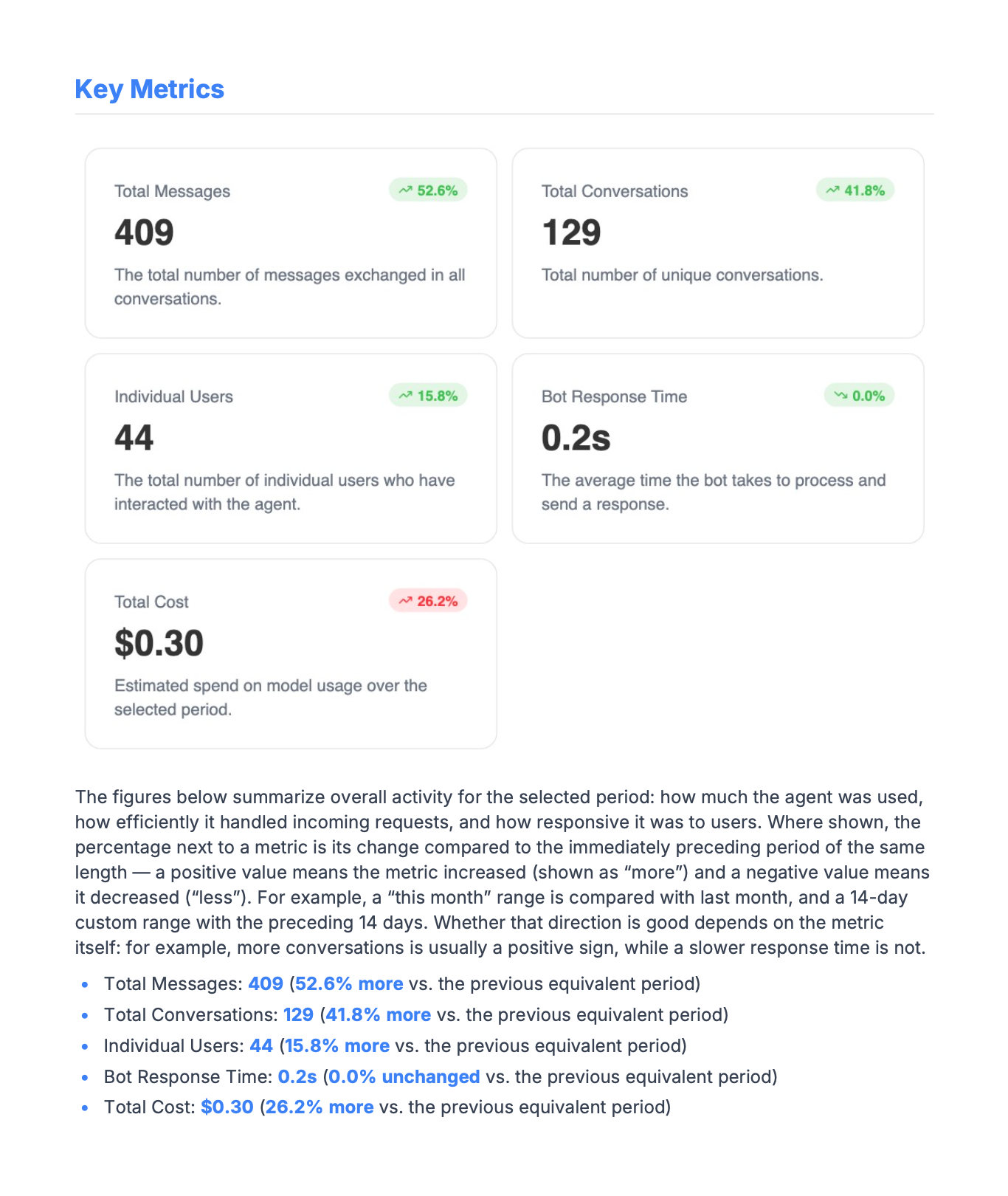
A snapshot, not a live link.
A saved report keeps the range and the metrics it was created with. Open it in three months and it still says what it said the day you sent it, which is the whole point of a report and the thing a dashboard URL cannot do.
Export it as a PDF from a template you control per agent, so one client can get a dense report and another a single page. Your client can export it themselves too, saved reports are one of the five things a Viewer reaches.
Feedback with a negative sentiment becomes a ticket in one action, carrying its context.
What makes the following month’s report worth reading.
A report that only reports is a status update. What turns it into evidence of work is the loop underneath it: your client sees a bad exchange in the transcript and raises a ticket against that exchange, you both work it in a threaded discussion with Dev and Reporter labels, it moves to Done, and the next report is where the fix shows up.
Client reporting questions.
Does my development traffic show up in it?
No. Analytics reports cover production only, by decision, so a test run cannot pollute the numbers your client reads. Development mode gets a lightweight 'is this actually tracking?' probe instead.
Can I control what the client sees?
Per agent, twice over. Chart flags decide which of the eleven charts a Viewer sees; conversation field flags hide customer id, IP, geolocation, device, metadata, attachments or action logs. Feedback is the deliberate exception, it is the client's own voice, so it is not hideable.
Does the client's dashboard start at zero?
Only if you let it. Existing conversation history imports from a JSON export, so the first report you send is not the first month of data.
Can the report go inside my own product instead?
Yes, the embedded dashboard runs on its own origin behind a scoped, revocable token, with personal data off by default.
What does this cost?
Saved reports, PDF export and the white-label subdomain are paid; the dashboard itself is free, see pricing.
Send the report. Skip the slide deck.
- Full dashboard on the free plan
- No card required
- Model spans never carry prompts