

An embed has no per-individual login. That single fact decides most of the defaults on this page.
Analytics inside your product, not beside it.
A loader script on your page and an isolated app on its own origin. Your client reads their numbers without leaving the product you built for them, and without you rebuilding a dashboard.
Personal data is off until you turn it on. Conversation content is on, because that is what the embed is for.
The defaults assume nobody logged in.
Anyone who can see the host page can see the embed. So the fields that identify an individual start off, and you switch them on deliberately if your host page already authenticates the viewer.
| Flag | What it exposes | Default |
|---|---|---|
| Customer id | Who the user is on your side | off |
| IP address | Raw address of the conversation | off |
| Geolocation | City, country, region, timezone | off |
| Device | Desktop, tablet or mobile | off |
| Conversation metadata | Your JSON on the conversation | on |
| Message metadata | Your JSON on individual messages | on |
| Attachments | Files shared in the conversation | on |
| Action logs | Tool and task calls behind each answer | on |
| Tickets | The client↔dev board | off |
Tickets are off by default for a different reason: existing threads were written when the board was internal-only. Turning them on is a conscious “my board is client-safe” decision, and embed tokens can be read-only or read-write.
Scoped, revocable, and checked live.
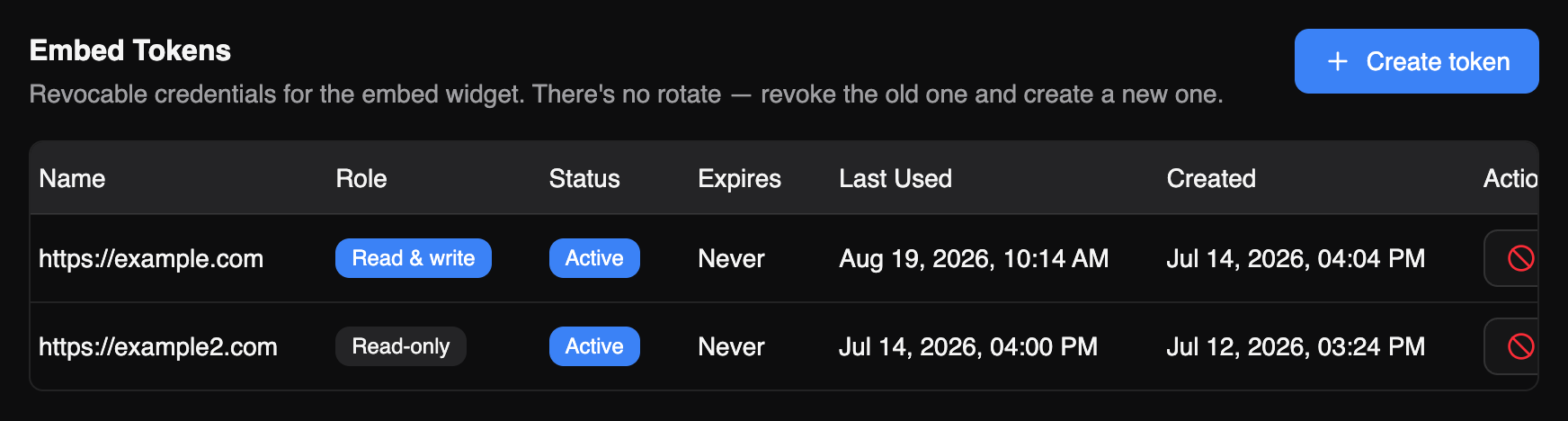
- Embed tokensagse_ prefix
- Accessread-only or read-write
- Expiryper token
- Last usedtracked
- Revocationimmediate
- Origin allow-listre-checked every request
Origins are validated on every request, not cached at token creation. Remove a domain from the allow-list and it stops working immediately, without waiting for anything to expire. Same principle as everywhere else in the product, see security & privacy.
What the embed can carry.
Conversations,analytics reports, PDF templates, message metadata templates, feedback, tickets and ticket comments, environments and branding. Embed chart flags are separate from the subdomain’s, so the in-product view can be narrower than the one you host.
Embedded dashboard questions.
How does it isolate from our app?
The dashboard runs in an iframe on its own origin, loaded by a small script on your page. It cannot read your page and your page cannot read it.
Can our users write anything?
Only if you issue a read-write token. Read-only is the safer default and covers the common case of showing a client their numbers.
What if a token leaks?
Revoke it, it stops immediately. Origin allow-listing also means a leaked token is useless from a domain you have not listed.
Do we need the subdomain too?
No. Subdomain and embed are independent ways to reach the same data; use either, or both for different clients.
Put the numbers where your client already is.
- Full dashboard on the free plan
- No card required
- Model spans never carry prompts