

Every signal here is served today. Four further charts exist in the app's config but have no backend, and are deliberately absent from this page.
The dashboard, and who is allowed to read it.
Arranged how you like, filtered by date range and environment. The difference from a developer tool is not the charts, it is that the person who paid for the agent can open this themselves.
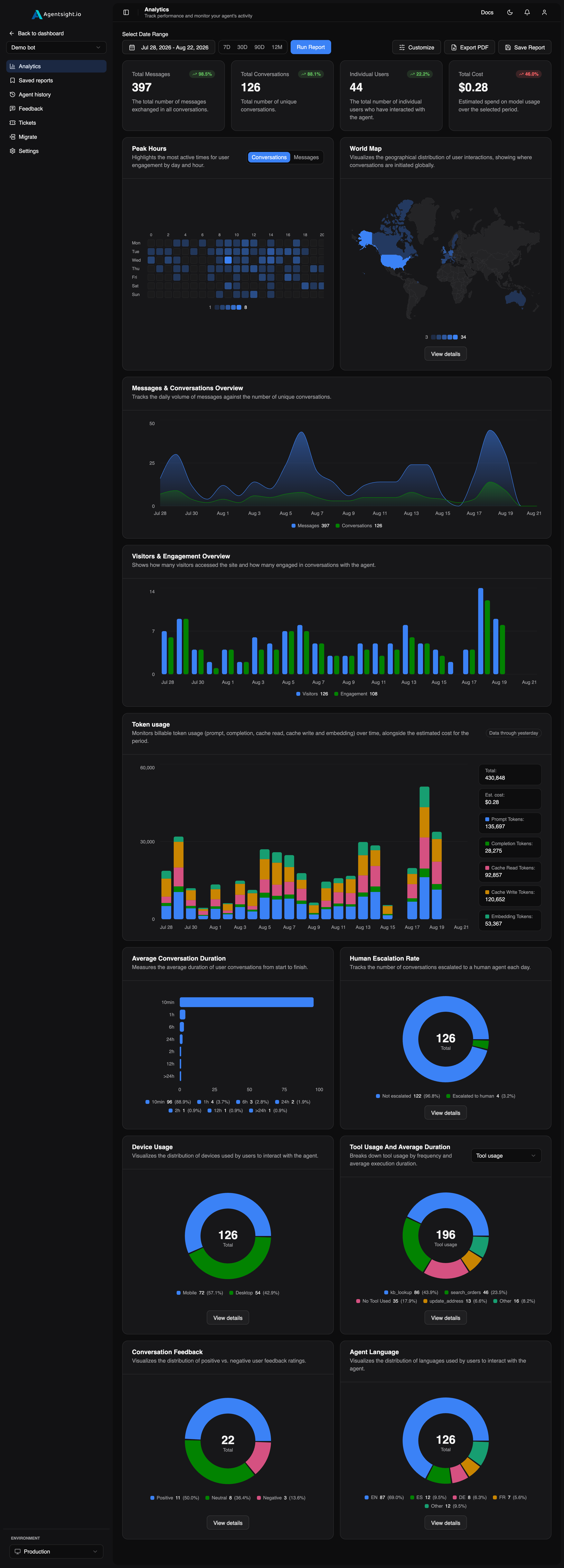
The Avg. Conversation Duration card exists in code but is disabled. The chart of the same name is live, it is in §04.
Five numbers, at the top.
| Card | What it counts |
|---|---|
| Total messages | Every message exchanged across conversations. |
| Total conversations | Unique conversations in the period. |
| Individual users | Distinct people who interacted, from customer_id. |
| Bot response time | Average time to process and send a reply, timed from the turn. |
| Total cost | Estimated model spend, priced server-side. |
Response time is measured from the turn itself, not inferred from the gap between message timestamps, so it is the latency your user actually felt, including the tool and model calls that produced the answer.
Eleven, all served.
Eleven charts, and where each one gets its numbers.
| Chart | Shows | From |
|---|---|---|
| Peak hours | Most active times, by day and hour | message timestamps |
| World map | Geographic distribution of conversations | customer_ip_address |
| Messages & conversations | Daily volume vs. unique conversations | daily aggregation |
| Visitors & engagement | Visitors vs. those who actually engaged | open_conversation() |
| Token usage | Tokens and cost over time, USD and EUR | per LLM call |
| Avg. conversation duration | Start-to-finish length | lifecycle timestamps |
| Human escalation rate | Escalated vs. not | tool names |
| Device usage | Desktop, tablet, mobile | device |
| Tool usage & duration | Which tools, how often, how slow | @tool decorator |
| Conversation feedback | Positive / neutral / negative | widget or API |
| Agent language | Language distribution | language |
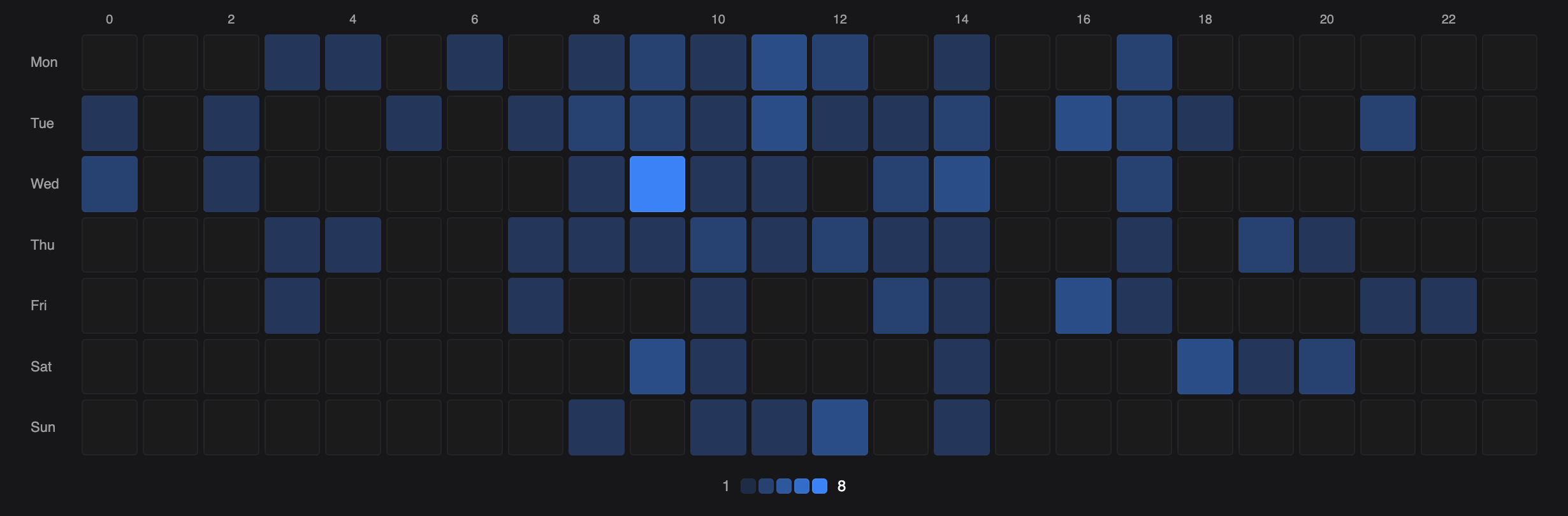
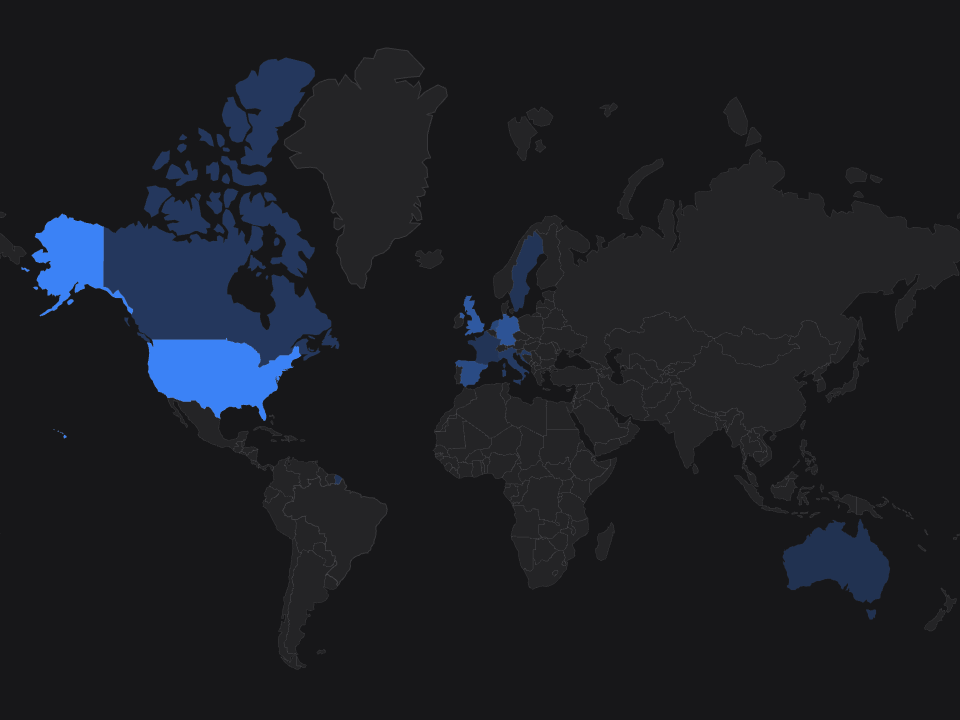
Free gets a fixed default layout. Rearranging or hiding anything is a paid feature, see pricing.
Arrange it the way your client reads.
The layout is one dashboard, not one per viewer, so a card or chart you hide is hidden for whoever opens that dashboard next, your client included. Drop the ones that do not apply to this client’s agent instead of asking them to ignore a metric that is always zero.
- Drag and dropreorder and resize
- Hide cards or chartsdock, restore any time
- Chart type switchingper panel
- Date range filterany window
- Environment switcherproduction / development
- Saved as a reportwith its range intact
Your test runs never reach your client’s report.
Analytics reports cover production only, by decision. Development traffic is excluded so a test run can never pollute the numbers your client is reading. Development mode gets a lightweight “is this actually tracking?” probe instead, so you can confirm the wiring works without inventing metrics from test data.
Analytics dashboard questions.
Is it real-time?
Near real-time. Spans batch roughly every five seconds, so the dashboard is seconds behind your agent rather than minutes, but we would rather say 'near' than overstate it.
Where does cost come from?
Recorded per model call and priced server-side. Because pricing happens on our side, history can be restated when a provider changes its rates instead of staying frozen at whatever the SDK knew on deploy day. A model with no known rate is reported as unpriced, never as free.
How is escalation detected?
From tool names. Name a decorator fallback_to_human, open_ticket, ticket or contact_human and escalations count themselves.
Can my client see all of this?
As much or as little as you choose, two ways. Hiding a card or chart from the layout removes it for everyone who opens that dashboard, client included. On top of that, the white-label subdomain and the embed each carry their own chart flags and field flags, so a Viewer can see a further-filtered set without touching what you see.
Every card and chart, free. No card required.
- Full dashboard on the free plan
- No card required
- Model spans never carry prompts