

Reports are production-only, so a test run in the last week of the month cannot quietly change the numbers you send.
The monthly report, without the monthly evening.
Save a dashboard snapshot as a named report with its original date range and metrics intact, then export a PDF from a template you control, down to the sentences, which can quote the period's own numbers. The deliverable your client already expects, generated instead of assembled.
A snapshot, not a live link.
A saved report keeps the range and the metrics it was created with. Open it in three months and it still says what it said the day you sent it, which is the whole point of a report, and the thing a dashboard URL cannot do.
The values are stored with the report rather than re-queried when it is opened, so a later backfill, a restated model rate or a deleted conversation cannot rewrite a document you have already sent.
- Name & descriptionyours to write
- Date rangefrom and to, frozen
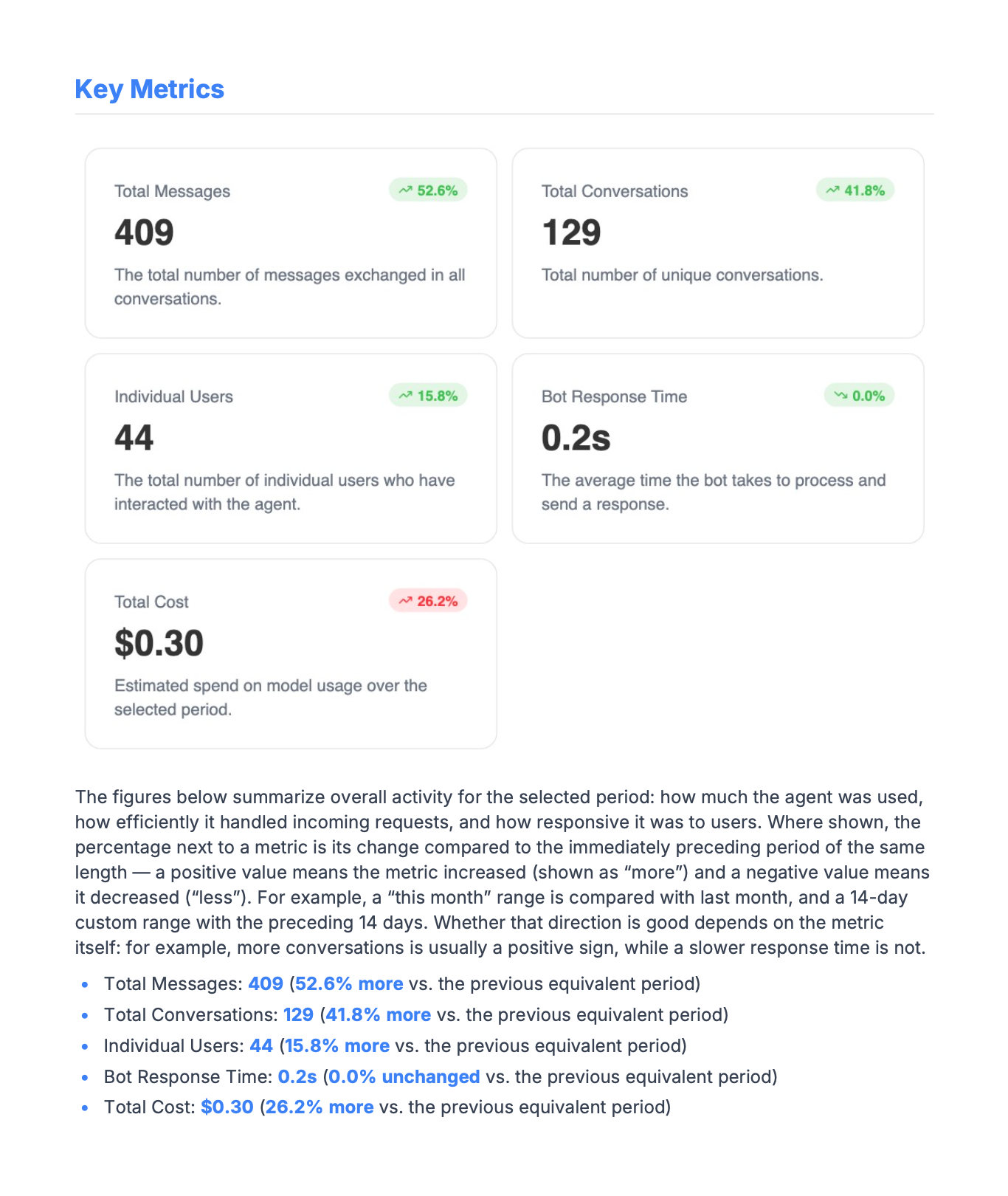
- Cards & chartsvalues as captured
- Markedstar the ones that matter
- Created by / atwho took it, when
- Schema versionso old reports still open
Two date filters, because “taken in March” and “about March” are different questions.
Finding the one you sent.
Reports accumulate, a year of monthlies across a handful of clients is a hundred documents. The list is filterable by when the snapshot was taken and, separately, by the period it covers, so “the Q2 report” and “the report I made in July” are both one query.
- SearchBy name and description
- Marked onlyThe ones you starred
- Created betweenWhen you took the snapshot
- CoveringThe period the report is about
Per-agent templates, with a default. One client can get a dense report and another a single page.
The PDF looks like you sent it.
A template is a list of sections. Each one has a title and a body you write, and may carry any set of cards, any set of charts, or neither, a section with no visuals is just prose, which is how you get a cover page or a closing summary. Reorder them, hide the ones a particular client does not need, and rewrite the label on any card that reads wrong in their context.
| Control | What it does | Scope |
|---|---|---|
| Section title & body | Rich text, bold, italic, bullet lists | per section |
| Cards in a section | Any set of KPI cards, or none | per section |
| Charts in a section | Any set of charts, or none | per section |
| Card text overrides | Rewrite a card's title and description | per card |
| Value breakdowns | Full category list under a donut, pie or map | per section |
| Reorder | Sections render in the order you leave them | drag |
| Hide | Removed from the export, restorable later | per section |
| Orientation | Portrait or landscape | per template |
| Accent colour | Headings, rules and resolved values | per template |
| Page numbers | On or off | per template |
| Generated date | On or off | per template |
Hidden sections are removed from the export but kept on the template, so trimming a report for one month does not cost you the section next month.
Write the sentence once. It fills itself in.
Template prose can reference the report’s own numbers. Write a {{token}} and it resolves at export time to the value for that period, formatted the way the dashboard formats it and highlighted in your accent colour. The commentary stops being the part you rewrite every month.
Over {{period}}, {{agentName}} handled {{totalConversations}} conversations, {{totalConversations.trendAbs}} {{totalConversations.trendDir}} than the period before.
Most people reached it on {{deviceUsage.top}}, and the quietest
day was {{peakHours.quietestDay}}.| Token | Resolves to |
|---|---|
| {{agentName}} | The agent the report is about |
| {{period}} | The report's date range, formatted |
| {{totalCost}} | Any KPI card's value, formatted as the card formats it |
| {{totalMessages.trendAbs}} | The change vs. the previous equivalent period |
| {{totalMessages.trendDir}} | “more”, “less” or “unchanged” |
| {{deviceUsage.top}} | The largest slice of a distribution, with its share |
| {{worldMap.breakdown}} | Every category, highest first, as prose |
| {{peakHours.quietestDay}} | Derived from the heatmap |
| {{toolUsageDistribution.slowestTool}} | The slowest tool, with its duration |
Every KPI card and every chart contributes its own tokens, so the list above is a sample rather than the vocabulary. A token that has no value for the period is left as you typed it rather than silently blanked, so a missing number is visible in the draft instead of in the client’s inbox.
A document, not a screenshot of one.
The cover, the section titles and your prose are laid down as real text, selectable, searchable and copyable, while the cards and charts are rendered as images, because that is the only way they look identical to the dashboard they came from. An embedded Unicode font ships with the file, so a report written in Croatian, Polish or Turkish sets correctly rather than falling back to boxes.
- Page sizea4
- Orientationportrait or landscape
- Prose & headingsreal selectable text
- Cards & chartsrendered to image
- Fontsembedded, full unicode
Reports and export questions.
Can my client export their own?
Yes, saved reports are one of the five things a Viewer reaches, on the dashboard and on your branded subdomain.
Does development traffic show up?
No. Reports cover production only, by decision.
If a number is corrected later, does my sent report change?
No. A saved report stores its values rather than re-querying them, so a backfill or a restated model rate changes what the dashboard says today without touching a document you already sent.
How many templates can I have?
As many as you like, per agent, with one marked as the default. That is the mechanism behind giving two clients genuinely different documents from the same data.
What happens to a token with no value?
It is left in place exactly as you typed it. Silently blanking it would hide the gap until the client found it.
Can I change the branding on the PDF?
The accent colour used for headings, rules and resolved values is per template. Broader branding, logos, palette, the address your client reads it at, is white-label.
Is this on the free plan?
Saved reports and PDF export are paid, see pricing. The dashboard itself is free.
Send the report. Skip the slide deck.
- Full dashboard on the free plan
- No card required
- Model spans never carry prompts