

Everything on this page is per agent. Two clients, two brands, two sets of visibility rules, one account — built for agencies running more than one.
Your client sees only their own data.
Run the entire dashboard at your own subdomain, with your app name, your logos and your colours, in light and dark. Then decide, chart by chart and field by field, exactly what a client is allowed to see.
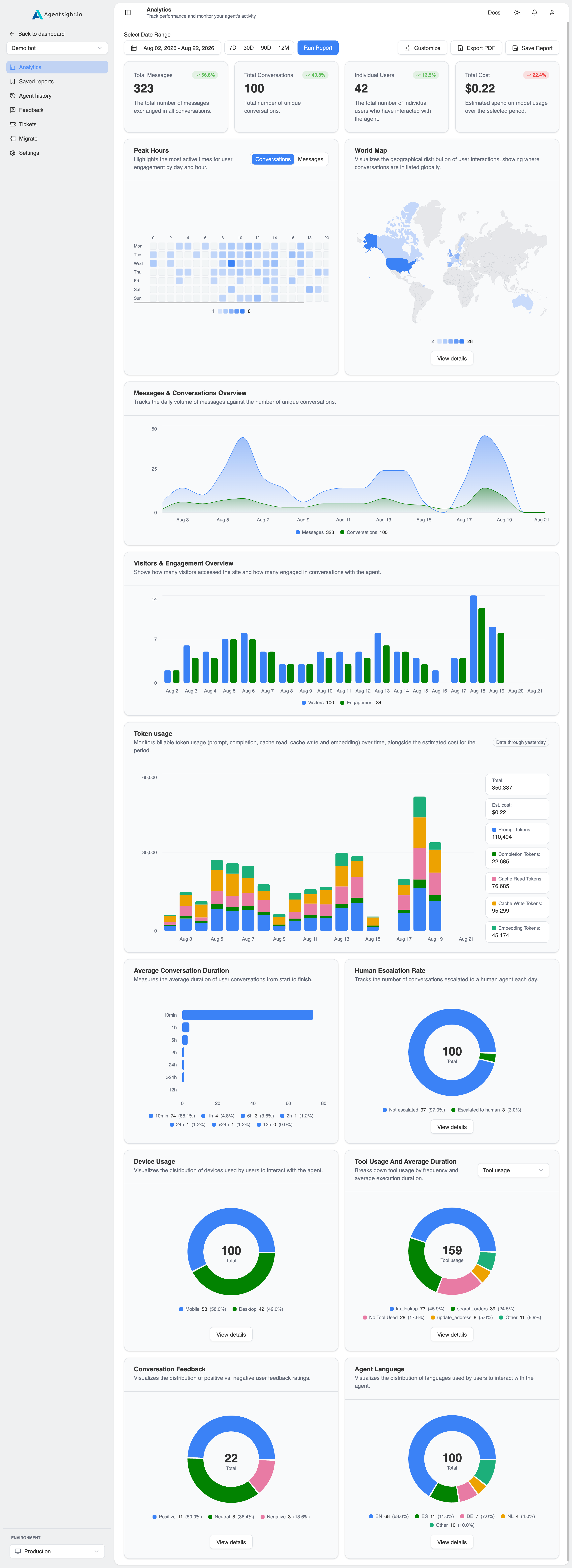
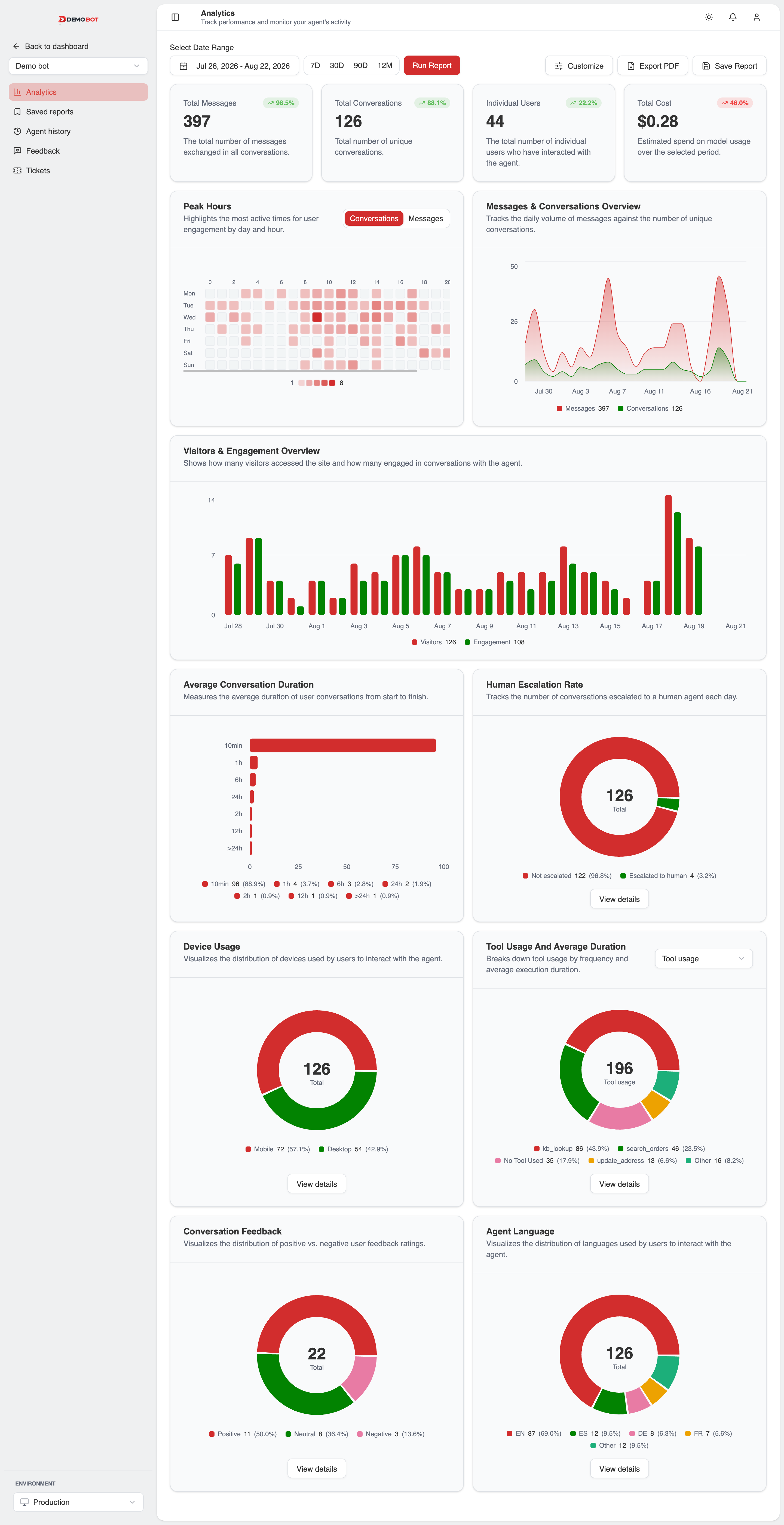
Separate assets per theme, not one logo tinted two ways, a mark that works on white rarely works on near-black.
One dashboard, as many brands as you have clients.
Separate light and dark logos, separate light and dark primary colours, and a chart palette set per theme. Slot 1 follows the brand primary; slots 2–8 ship as a fixed, distinguishable series and are edited one at a time. Nothing is generated from the brand colour, a palette spun out of one hue is how two series end up looking the same.
Edit any swatch, both themes are set independently.
Slot 1 tracks the primary colour.
Slot 1 tracks the primary colour.
All eight default to visible on the subdomain. You are turning things off, not on.
Decide exactly what your client sees.
Eight per-conversation fields can be hidden from the client-facing view. Useful when the transcript is fine to share but the personal data attached to it is not.
| Field | What it exposes | Visible |
|---|---|---|
| customer_id | Who the user is on your side | visible |
| IP address | The raw address the conversation came from | visible |
| Geolocation | City, country, region, continent, timezone | visible |
| Device | Desktop, tablet or mobile | visible |
| Conversation metadata | Your own JSON on the conversation | visible |
| Message metadata | Your own JSON on individual messages | visible |
| Attachments | Files shared in the conversation | visible |
| Action logs | The tool and task calls behind each answer | visible |
What this conversation looks like to the client
- customer_idcus_8f21a2
- IP address203.0.113.44
- GeolocationBerlin, DE
- DeviceDesktop · Chrome
- Conversation metadata{ "plan": "pro" }
- Message metadata{ "order_id": "8821" }
- Attachmentsinvoice.pdf
- Action logs3 tool calls
Chart flags work the same way: per-agent toggles for which of the eleven charts appear. Owners and Editors always see everything; Viewers see the filtered set.
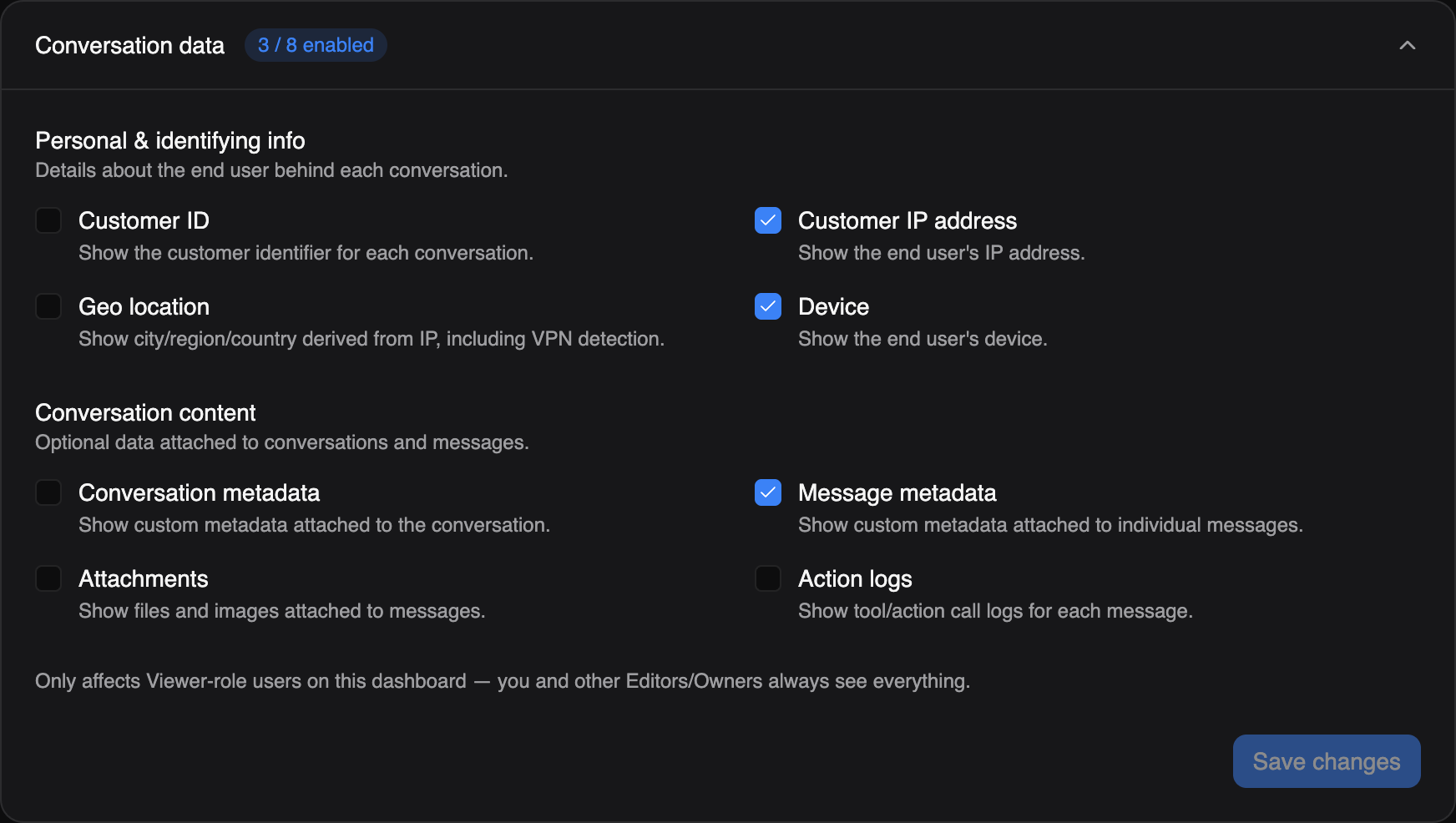
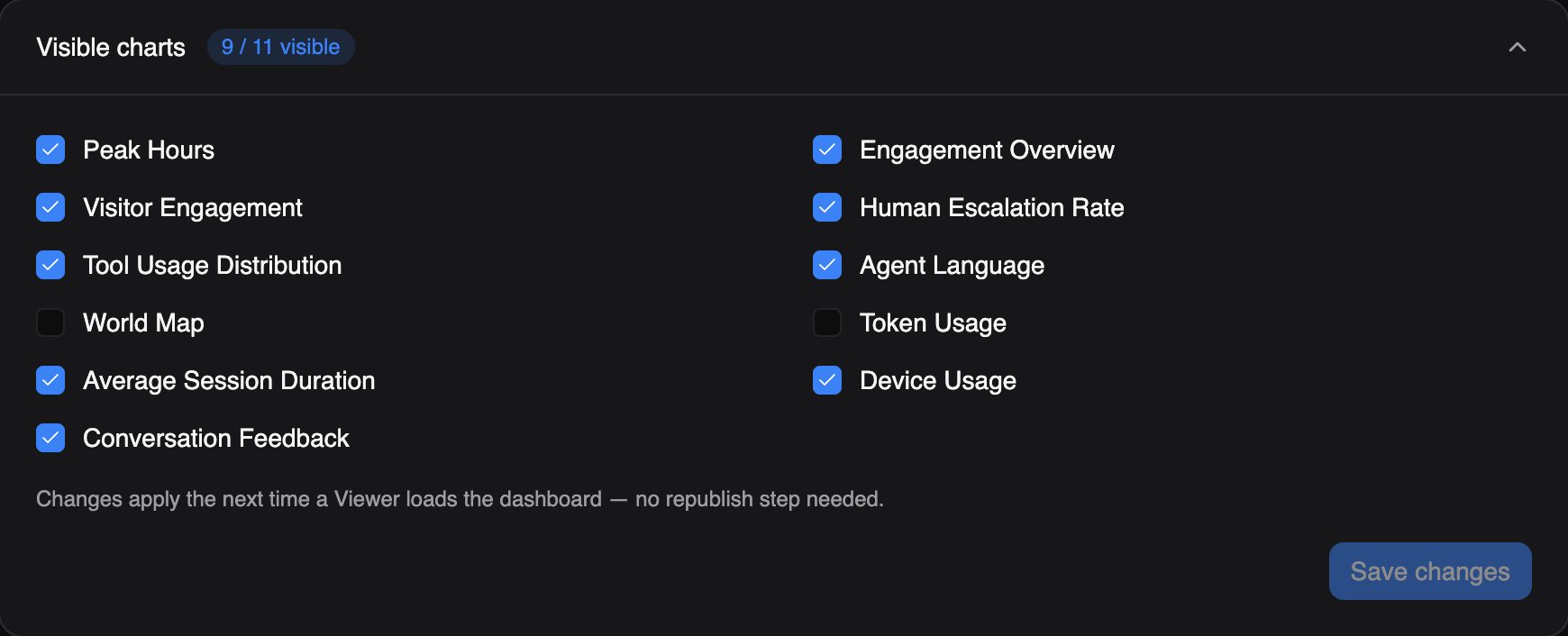
A subdomain or embed viewer is scoped to what chart and field flags allow. Everything else stays behind a proper login on the real AgentSight dashboard.
What a client gets, and what they never do.
Signing in on a branded subdomain or opening the embed only ever grants the Viewer role, scoped to that one agent. It is a window onto the data chart flags and field flags allow through, not a second way into the account, so nothing here substitutes for owning or editing the agent.
Analytics
Chat history & transcripts
Feedback
Saved reports
Tickets
Settings
Migrate
Usage & billing
Enforced at the route, not hidden in the interface. A Viewer who guesses a settings URL still does not get in.
White-label questions.
Is the subdomain really ours?
It runs at <yourclient>.agentsight.io with your app name and branding. app, app-staging and docs are reserved; everything else is available.
Do the charts adapt to our colour?
Chart slot 1 is the brand primary, in both light and dark. Slots 2–8 are a fixed categorical palette by default, deliberately, so the series stay distinguishable, and each one is editable per agent and per theme if you want the whole ring on brand.
Can different clients see different things?
Yes. Chart flags and field flags are per agent, so each client gets their own visibility rules.
What about feedback, can we hide that?
No, deliberately. Feedback is always visible on the subdomain and in the embed, because it is the client's own voice and hiding it would defeat the point.
Hand them a dashboard with their name on it.
- Full dashboard on the free plan
- No card required
- Model spans never carry prompts